(note: you may need to create this directory on the D: drive if it does not exist.)
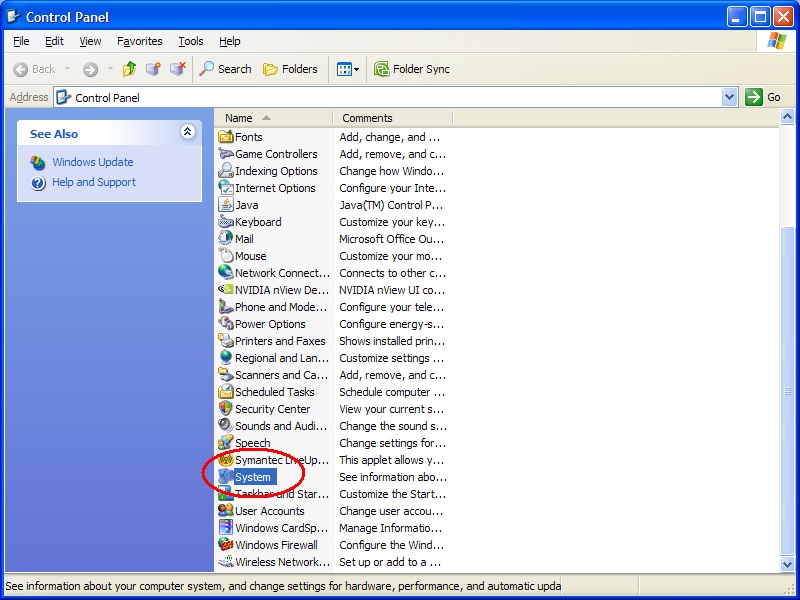
| 1. Open your computer's Control Panel | |
| 2. Click System | |
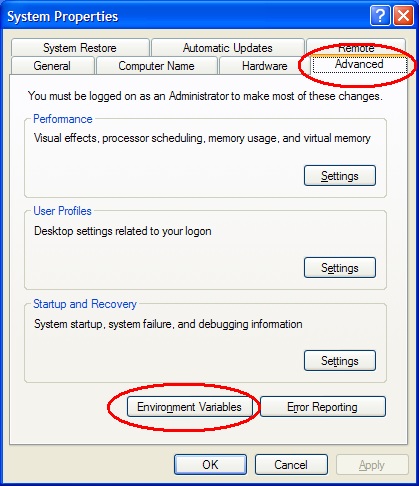
| 3. In the System Properties windows click on the Advanced Tab, then click the Environment Variables button | |
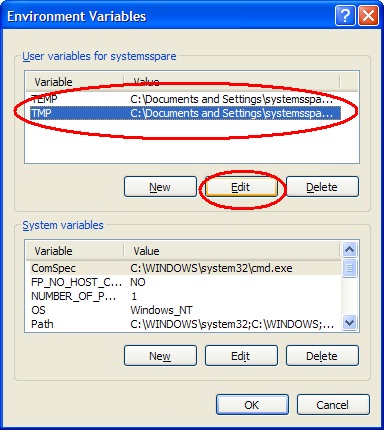
| 4. Click on the TMP variable in the upper USER Variables box, then click Edit | |
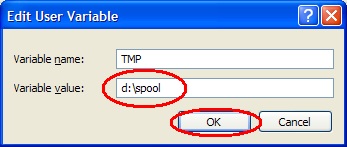
| 5. In the Value box, enter d:\spool then click Save (note: you may need to create this directory on the D: drive if it does not exist.) |
|
| 6. Close your stamp program and restart it to print your job. |